Building a Self-Service Knowledge Base Employees Want to Use




At a Glance
- Most self-service knowledge bases struggle because of poor search, generic answers, scattered content, and limited awareness of the employee’s context.
- A knowledge base is only self-service if employees can find the right answer without contacting the service desk or asking a colleague.
- The most common failure point is often the retrieval layer, not the amount of content available.
- Answers should account for the employee’s role, department, location, device, permissions, and other relevant circumstances.
- Employees return when the system consistently delivers accurate, current, source-supported answers where they already work.
Most organizations already have policy documents, troubleshooting guides, knowledge articles, resolved tickets, runbooks, and internal wikis. They're not starting at zero, but despite that investment, employees continue to open tickets for questions the organization has already answered.
The problem is not always a lack of knowledge. More often, employees cannot find the right information quickly enough to trust self-service as their first option.
Traditional knowledge bases place most of the work on the requesting employee. The employee must choose the right search terms, identify a promising article, determine whether it is current, and decide whether it applies to their situation. When that process fails a few times, filing a ticket becomes the easier and more dependable choice.
A useful self-service knowledge base changes that experience. It understands what the employee is trying to accomplish, retrieves information from the appropriate sources, accounts for relevant context, and delivers a clear answer without requiring the employee to become an expert searcher.
Why Most Self-Service Knowledge Bases Go Unused
Low adoption is often treated as a communication problem. Employees are reminded that the knowledge base exists, links are added to portals, and service desk agents are instructed to redirect people toward self-service. Those efforts do not solve a poor experience.
If employees repeatedly receive irrelevant results, outdated instructions, or answers that do not apply to their role, they learn that searching is slower than asking for help. The knowledge base may be available, but it is not dependable.
Generic answers create another problem. One article may attempt to serve employees across different departments, locations, device types, and permission levels. The resulting instructions become either too broad to be useful or too detailed for someone who needs a simple answer.
Content fragmentation makes the experience even worse! The correct answer might live in the ITSM knowledge base, SharePoint, an HR platform, a wiki, a resolved ticket, or a departmental drive. Employees rarely know which repository owns the information they need. So how are they supposed to go to retrieve where they don't know exists?
The result is predictable. This behavior also limits the effectiveness of IT help desk automation, since automation cannot prevent a ticket when employees cannot find or trust the available answer.
Online and Searchable Is Not the Same as Self-Service
A knowledge base does not become self-service simply because employees can access it through a portal.
True self-service means that an employee can move from a question to a useful answer without assistance. The experience should not require insider terminology, knowledge of repository structures, or repeated searches across multiple systems.
This distinction is critical because organizations often measure the wrong thing. They track published articles, page views, or search activity and assume the knowledge program is working. Those metrics show that content exists and employees are looking for it. They do not show that employees found the right answer.
A more useful measure is whether the interaction resolved the employee’s need. Did the answer prevent a ticket? Did the employee return to search the next time? Was the information current and applicable? Did the system identify when it could not answer confidently?
Resolve’s guide to IT help desk automation makes a similar distinction between recording work and preparing it for resolution. A self-service knowledge experience should do more than display information. It should help the employee reach an outcome.
The Real Bottleneck Is Retrieval, Not Content
Many organizations respond to low knowledge-base adoption by writing more articles. Additional content can help when genuine gaps exist, but volume alone rarely fixes retrieval.
Adding more content can make the problem even harder and complex. Employees receive longer result lists, encounter overlapping articles, and have more difficulty determining which answer applies. Content teams then spend additional time maintaining material that employees still struggle to find.
The retrieval layer should understand intent, not just match terms. It should recognize that “my laptop will not connect at home,” “VPN keeps failing,” and “remote access is down” may refer to the same underlying issue.
Modern retrieval can combine keyword matching with semantic or vector-based techniques. Keyword matching remains useful for exact product names, error codes, policy terms, and acronyms. Semantic retrieval helps when employees use casual, incomplete, or unfamiliar language. Together, they can improve the chance that the system finds the right information without forcing the employee to phrase the question perfectly.
Retrieval also needs to span numerous repositories. Employees should not have to know whether a particular answer belongs to IT, HR, finance, facilities, or another team. The system should search approved sources, respect permissions, and bring the relevant information into a consistent answer.
This is where enterprise search becomes more useful than a larger article library. The objective is to make existing knowledge accessible at the moment of need, not simply to create more places where it can be stored.
Why Generic Answers Do Not Scale
The same question can have several correct answers.
Consider an employee asking, “How do I request software?” The process may depend on the employee’s department, location, device, employment status, cost center, or the application involved. A finance employee may need an approval that a developer does not. A contractor may not be eligible. A field technician may use a different device-management process.
A static article can list every variation, but that transfers the work back to the employee. They must read the entire page, identify which section applies, and interpret exceptions.
Role-aware answers reduce that burden. The system can use permitted context such as department, location, device, or entitlement to retrieve the instructions that apply to the person asking.
Personalization must remain governed. Employees should only receive information they are authorized to access, and the system should show where the answer came from. When the available context is incomplete or conflicting, it should ask for clarification or route the issue appropriately.
The goal is to provide the correct answer for the employee’s actual situation.
What Makes Employees Come Back
Self-service knowledge base adoption grows through successful experiences, rather thn repeated reminders.
Employees return when the system answers correctly often enough to become a trusted first stop. That requires continuous accuracy, relevance, speed, and a clear path forward when the answer is not sufficient.
Delivery also matters because requiring employees to visit another portal introduces friction before the search even begins. Answers delivered in Microsoft Teams, Slack, email, or the service portal meet employees where they are already working.
Resolve’s self-service automation approach connects conversational support with workflow execution. That distinction is key because some questions require more than information. An employee asking for access, reporting a device problem, or requesting software may need an action to occur that would originally require hands-on assistance.
The strongest self-service experience can provide the answer, collect missing information, initiate an approved workflow, confirm completion, and update the system of record. When automation cannot resolve the request, the handoff should preserve the employee’s question and the context already collected.
Employees also need confidence in the answer. Source links, current indexing, permission enforcement, and visible ownership help establish trust. An answer that cannot be verified may be fast, but it is not dependable.
How Resolve Knowledge Agent Fixes the Retrieval Problem
Resolve Knowledge Agent is not another knowledge base that organizations must populate and maintain separately. It acts as an intelligent retrieval and answer layer across all the content they already have.
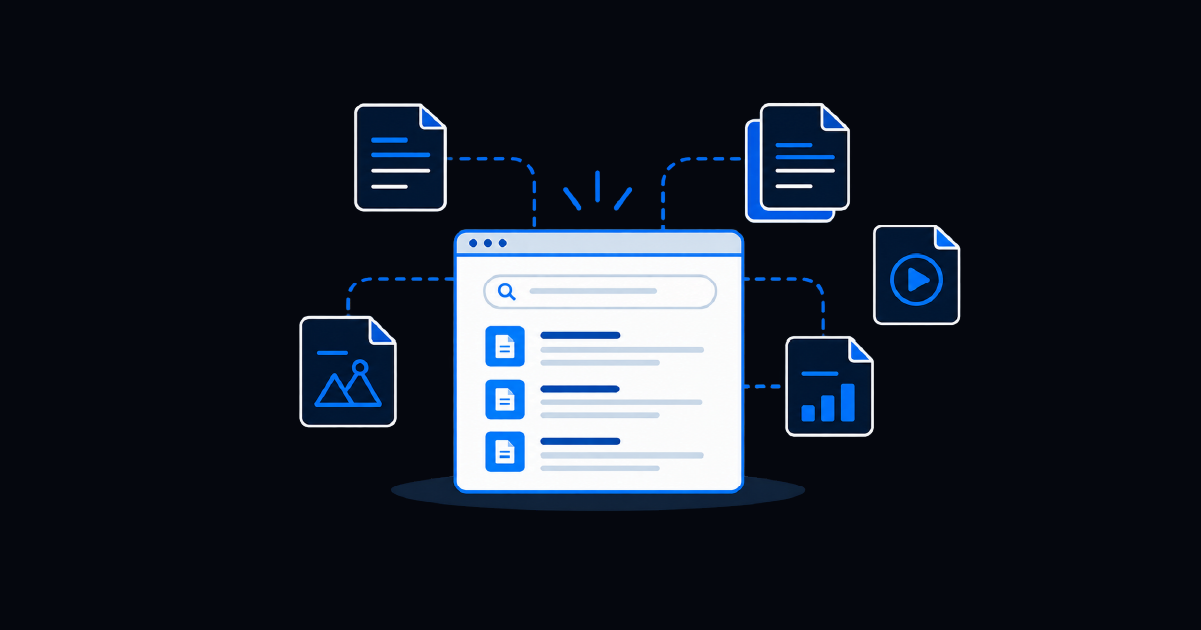
Knowledge Agent interprets the employee’s intent, searches approved enterprise sources, and returns a direct answer rather than a list of potentially relevant documents. It can work across knowledge bases, policies, runbooks, resolved tickets, SharePoint, Confluence, ITSM platforms, and 500+ other connected repositories.
Answers can be tailored to the employee’s role, department, location, and permissions. This reduces the risk that a technically accurate but inapplicable article becomes the employee’s instruction.
Knowledge Agent also delivers answers inside familiar channels, including Teams, Slack, portals, and email. Employees can ask questions in ordinary language without navigating repository structures or learning formal article terminology.
When an answer leads to an action, Resolve can connect the interaction to governed automation. The ITSM automation layer can execute the approved workflow, verify the result, update the ticket or system of record, and confirm completion.
Every interaction also creates useful feedback. Unanswered questions expose knowledge gaps. Rejected answers reveal retrieval or content problems. Successful resolutions show which sources and actions worked. That information can improve future responses and help content owners prioritize updates.
Turn Existing Knowledge Into Answers Employees Can Find
A self-service knowledge base is not defined by the number of articles it contains or whether employees can search it. It is defined by whether employees can consistently obtain the right answer without help.
Most organizations already possess much of the knowledge they need. The harder problem is retrieving the correct information from fragmented systems, interpreting the employee’s intent, accounting for context, and delivering the answer in a trusted channel.
Improving that experience requires more than writing additional articles. It requires better retrieval, role-aware responses, current and source-supported information, permission enforcement, in-channel delivery, and a connection to automation when the employee needs an action rather than an explanation.
Resolve Knowledge Agent turns the content you already have into answers employees can actually find.
Frequently Asked Questions
What Is a Self-Service Knowledge Base?
A self-service knowledge base gives employees access to answers, instructions, policies, and troubleshooting guidance without requiring help from a service desk agent. Effective self-service understands natural-language intent, retrieves current information from approved sources, and delivers an answer that applies to the employee’s situation.
Why Do Employees Avoid Self-Service Knowledge Bases?
Employees avoid knowledge bases when search results are irrelevant, articles are outdated, answers are too generic, or information is scattered across multiple systems. After several unsuccessful searches, opening a ticket or asking a colleague feels faster and more reliable.
How Does AI Improve Knowledge-Base Search?
AI can interpret the meaning behind an employee’s question instead of relying only on exact keyword matches. It can search multiple repositories, combine relevant information, account for role and context, and return a direct, source-supported answer.
How Should Organizations Measure Knowledge-Base Success?
Useful measures include self-service resolution rate, ticket deflection, first-search success, answer acceptance, repeat usage, time to answer, unresolved-question volume, and the number of knowledge gaps identified. Article count and page views alone do not show whether employees successfully resolved their needs.