What Happens When You Outgrow a No-Code AI Agent Builder?


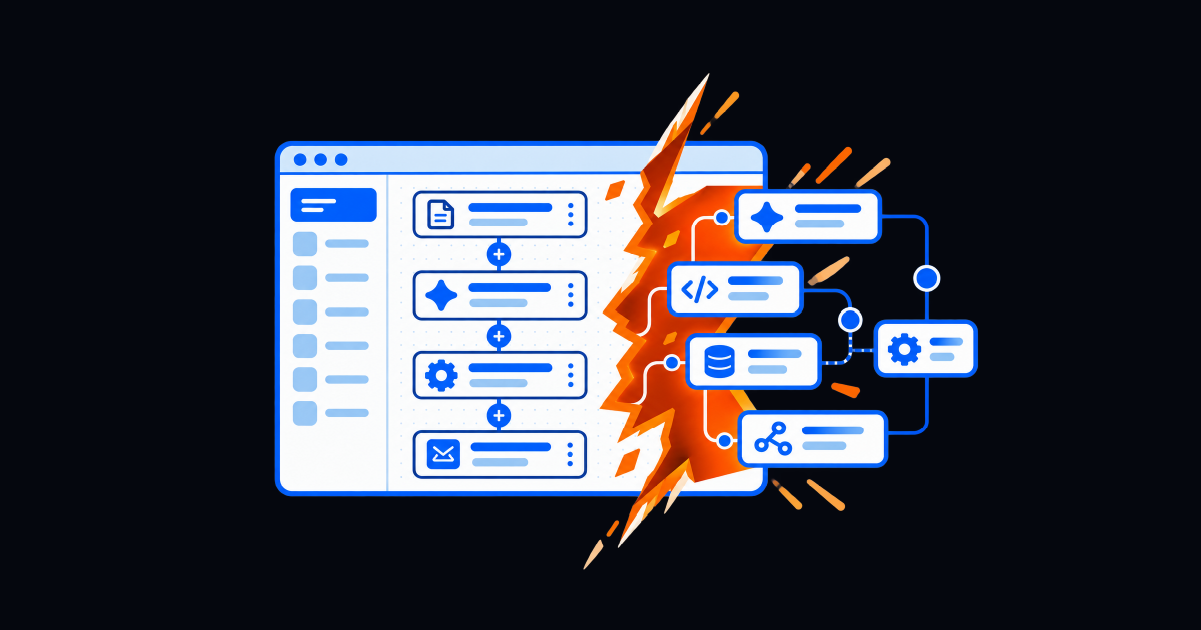
A no-code AI agent builder can get a defined agent into production quickly. The risk appears when added branches, exceptions, integrations, and controls exceed the visual canvas. Organizations should look for a platform that lets teams extend individual steps with reusable code without rebuilding the agent or abandoning its governance.
At a Glance
- A no-code AI agent builder lets teams create and deploy agents through visual steps, plain-language instructions, templates, and prebuilt integrations.
- No-code is genuinely effective for fast first deployments and well-defined workflows.
- The ceiling appears when real-world inputs, conditional paths, exceptions, or unsupported systems exceed what the canvas can express clearly.
- A forced rebuild separates the new coded agent from the testing, history, controls, and stakeholder trust already established.
- The strongest model supports no-code to start and incremental code where needed, inside the same governed workflow.
Let's say the first agent goes live quickly. A business user describes the job, connects a few systems, and tests the happy path. The agent handles a defined request, giving the team a visible win without a development project.
Then the workflow grows. A department needs a different approval path. A legacy application lacks a connector. Records arrive with inconsistent fields. The team adds branches, prompts, and fallbacks until the agent becomes difficult to understand or change.
This is a normal growth stage, instead of proof that no-code was the wrong starting point. The deeper issue becomes whether the AI agent builder provides a path from a simple first agent to a more capable production system without forcing the team to start again somewhere else.
What Is a No-Code AI Agent Builder?
A no-code AI agent builder lets mixed-skill teams create, test, and deploy agents without writing software from scratch. Common interfaces include drag-and-drop steps, conversational configuration, templates, reusable actions, and system connectors.
The builder typically defines four things:
- Purpose: the job or outcome the agent owns.
- Knowledge and context: the information it can use to interpret a request.
- Actions: the workflows, tools, or skills it may call.
- Boundaries: the conditions under which it acts, pauses, seeks approval, or escalates.
This lowers the barrier to automation, allowing service desk, HR, and operations teams to test defined agents and learn from a working deployment instead of debating a specification for months.
That speed is the point. For a broader look at production roles, guardrails, workflow linking, testing, and deployment boundaries, see Resolve’s guide to choosing an AI agent builder for enterprise IT.
Where No-Code AI Agent Builders Hit Their Ceiling
Visual builders are strongest when the workflow has a recognizable beginning, a manageable number of decisions, and systems the platform already understands. Complexity changes each of those conditions.
The Workflow Accumulates Too Many Branches
A simple agent may check identity, confirm eligibility, request approval, and act. Production adds privileged users, regional policies, maintenance windows, failed approvals, unavailable systems, duplicates, and rollback paths.
Each exception becomes another box and connector. Logic spreads across prompts, conditions, defaults, and fallbacks until no one can explain the behavior without tracing every path.
Messy Inputs Break the Demo Logic
Demonstrations use clean records and predictable language. Production introduces missing fields, duplicate identities, malformed payloads, conflicting sources, and requests with multiple intentions.
More prompt instructions may improve one case while changing another. If the builder cannot normalize data, query a custom source, or apply deterministic logic, prompt layering becomes a fragile substitute for engineering.
The Needed Integration Does Not Exist
Prebuilt connectors accelerate common work, but enterprises also have custom applications, legacy interfaces, internal APIs, and existing scripts. A visual builder may stop one system short of completion.
At that point, the agent can still classify or route the request, but it cannot finish the job. The missing integration becomes a permanent human handoff unless the platform supports a custom extension inside the workflow.
The Team Rebuilds in a Separate Environment
The most expensive ceiling is architectural, such as the team recreating logic, integrations, approvals, and deployment in a separate coding environment.
The replacement may lose test cases, run history, version context, audit controls, ownership, and stakeholder trust. The migration takes back the speed no-code provided initially.
Why This Happens
Visual builders trade expressive power for simplicity. A constrained interface makes common patterns easier to learn and deploy, but uncommon logic harder to express.
The problem is not that a visual canvas has boundaries, because every abstraction does! The problem is a builder with no graceful escape hatch between “keep adding boxes” and “rebuild everything in code.”
This choice arrives after the agent is producing value. Stakeholders depend on it, data flows through it, and a rebuild must compete with maintaining the live service and delivering enhancements.
No-code AI agents need incremental complexity as most of the workflow can remain visual while an unusual transformation, API call, validation, or legacy action is extended with code inside the same governed flow.
What to Look for If You Don’t Want to Rebuild From Scratch
Test more than the first demo. Give vendors a workflow with an unsupported integration, irregular input, approval, failure, and rollback. Ask how the platform changes as the use case matures.
Test the Escape Hatch Before Buying
Ask the vendor to modify a live sample rather than describe a roadmap. Add one custom validation or script, pass its output into the next visual step, trigger a failure, inspect the audit trail, and roll back the change.
The demonstration should answer a direct question: when your team’s workflow outgrows the visual canvas, is there a documented extension path, or is a rebuild the only supported answer?
Make Sure Controls Travel with Complexity
Custom steps should inherit credential management, access controls, approvals, logging, versioning, testing, and deployment controls. Otherwise, the escape hatch creates a second automation estate to secure and maintain.
Preserve One Operating Model
Different contributors should work at the right level. Process owners can understand the flow, engineers can extend difficult steps, and operators can monitor outcomes and failures in one place.
How AgentLab Solves the No-Code Ceiling
Resolve AgentLab starts as a no-code AI agent builder with plain-language approach. Teams define a role, responsibilities, departments, instructions, operating boundaries, and guardrails. They link approved workflows and reusable skills, test behavior against real scenarios, and deploy the agent within its defined scope.
The broader Resolve platform supports no-code, low-code, and bring-your-own-code workflows. Existing scripts can be imported as reusable building blocks, and custom activities can sit inside orchestrated workflows. The team extends the step that needs more power instead of replacing the agent around it.
Agent actions remain within the platform’s orchestration and governance model, preserving testing, permissions, approvals, and auditability as the workflow advances.
The AgentLab build path follows five practical stages:
- Build and enable the approved activities and workflows that perform the work.
- Define the agent’s role, departments, instructions, scope, and guardrails.
- Link only the workflows and skills the agent is permitted to use.
- Test conversationally and validate behavior, permissions, failures, and escalation.
- Deploy to production within the boundaries already defined.
This preserves fast participation by process experts while letting engineers extend complexity without separating the agent from the visual workflow or rebuilding its foundation.
Plan for the Second Agent Before You Build the First
Outgrowing a no-code AI agent builder is not failure. This usually means the first deployment worked well enough to attract more use cases, integrations, and expectations. That’s where deeper organizational value surfaces as teams can now build AI agents that extend past the original canvas.
Before choosing a builder, ask what happens when the workflow gains branches, encounters bad data, needs a legacy script, or faces a new control. The answer you receive distinguishes a pilot tool from a platform for a growing program.
The durable model is neither no-code forever nor code from day one. Start visually, preserve a clear operating model, and add custom logic only where it earns its complexity.
AgentLab lets teams build in plain language, connect governed skills, and extend workflows without starting over.
Frequently Asked Questions
What is a no-code AI agent builder?
A no-code AI agent builder lets teams create, configure, test, and deploy AI agents through visual steps, natural-language instructions, templates, and prebuilt integrations instead of writing an application from scratch.
Why do no-code AI agents become difficult to manage?
Complexity accumulates through conditional branches, exceptions, inconsistent inputs, unsupported systems, and fallback prompts. Without an extension model, the visual workflow becomes hard to understand and risky to change.
When should a workflow use custom code?
Use custom code for a bounded requirement the visual builder cannot express reliably, such as a proprietary API call, deterministic validation, data transformation, or legacy script. Keep the surrounding workflow visual when possible.
What should happen when an agent outgrows the visual canvas?
The platform should let the team extend individual steps while preserving the agent’s workflow, testing, permissions, audit history, deployment controls, and monitoring. A full rebuild should not be the default path.
Does AgentLab require developers to build AI agents?
No. Teams can define agents in plain language and connect approved skills without starting from code. Technical contributors can extend workflows with reusable scripts or custom activities when a use case requires more specialized logic.