IT Automation: What It Is and How to Get Started



Key Takeaways
- IT automation replaces repetitive manual work with scripted, rules-based, orchestrated, or AI-driven execution.
- Its main categories include, but are not limited to, service desk automation, AIOps-triggered remediation, ITSM automation and orchestration, and agentic IT automation.
- IT process automation focuses on executing specific (and documented) workflows within the broader IT automation category.
- Most teams should begin with one high-volume, well-understood workflow instead of trying to automate everything at the same time.
- Useful early measures include mean time to resolution (MTTR), ticket deflection, workflow success rate, and hours saved.
IT teams are supporting more users, systems, alerts, and services without a matching increase in headcount. Employees also expect immediate support, while businesses want critical services to remain available around the clock. Manual handoffs cannot reliably meet both demands.
This guide explains what IT automation includes, how its approaches differ, and how to choose a practical starting point. It also links to deeper resources for each major category.
What is IT Automation?
IT automation is the use of software to perform IT tasks, processes, and operational workflows with reduced human intervention. Automations can gather information, apply rules, request approval, act across systems, verify the result, document what happened, and escalate exceptions to a person.
The category spans several maturity levels. A script may restart a service after a known failure, while a rules-based workflow can check conditions and route approvals. Orchestration coordinates a process across multiple tools. Perhaps most importantly, agentic automation adds AI that interprets intent and context before selecting an approved action path.
IT automation intersects with IT service management (ITSM), IT operations management (ITOM), and DevOps. These practices define, monitor, and improve operational work; automation supplies the execution layer that moves it from trigger to outcome.
The IT Automation Maturity Curve
These approaches are all complementary. Mature programs often use AI to understand a request, deterministic workflows to execute approved steps, and orchestration to connect the systems involved.
Why IT Teams Are Adopting Automation Now
As environments become more distributed, people often become the connective tissue between tools. They end up copying information, checking dashboards, chasing approvals, repeating diagnostics, and updating records after the work is complete.
Automation makes that work faster and more consistent while retaining human control where judgment or risk demands it. Known issues can also be resolved outside business hours.
Teams increasingly automate outcomes; the system can fulfill the request, restore the service, verify the result, and close the loop.
What Are the Benefits of IT Automation?
The value of IT automation is not only that a task runs faster. Effective automation changes how consistently work moves through the organization, how much demand a team can absorb, and how quickly employees or customers receive a complete result.
Faster Resolution and Greater Availability
Automation can begin diagnostics or fulfillment as soon as a trigger occurs, without waiting for a person to pick up a ticket or alert. Known issues can be handled at any hour, while engineers receive richer context when human intervention is required. This reduces delays across the entire resolution path, not just one step.
Less Repetitive Work
Routine tasks consume time in small increments that become significant at enterprise scale. Automating data collection, validation, approvals, system actions, notifications, and documentation returns that time to service desk analysts and engineers. Teams can focus more attention on novel incidents, architecture, reliability, and other work that benefits from human expertise.
More Consistent and Auditable Execution
Manual processes can vary by person, shift, or workload. Governed workflows apply the same conditions, approval requirements, and validation steps every time. They can also record each action automatically, helping teams strengthen reporting, troubleshooting, security reviews, and compliance evidence without relying on someone to reconstruct the process afterward.
More Value from Existing Tools
Many organizations already have capable ITSM, observability, identity, cloud, and endpoint platforms. The missing piece is often execution between them. Automation and orchestration connect those investments so a signal or request can initiate coordinated action without requiring teams to replace their existing systems of record.
The Main Categories of IT Automation
Service Desk Automation
Service desk automation handles repetitive requests such as password resets, software fulfillment, access provisioning, and basic troubleshooting. It supports self-service, performs approved actions, updates the ITSM record, and escalates exceptions. Explore Resolve's service desk automation solution.
AIOps-Triggered Automation
AIOps and observability tools detect and enrich operational signals. Automation takes the next step by launching diagnostics or a runbook, remediating the issue, checking service health, and closing the incident after verification. Learn about automated remediation for AIOps signals.
Runbook Automation
Runbook automation turns documented procedures into repeatable, executable workflows. It coordinates diagnostic, remediation, validation, and escalation steps across network, cloud, infrastructure, endpoint, and SaaS systems, helping teams resolve issues faster while preserving approvals and auditability. See how runbook automation enables consistent, end-to-end execution.
Agentic IT Automation
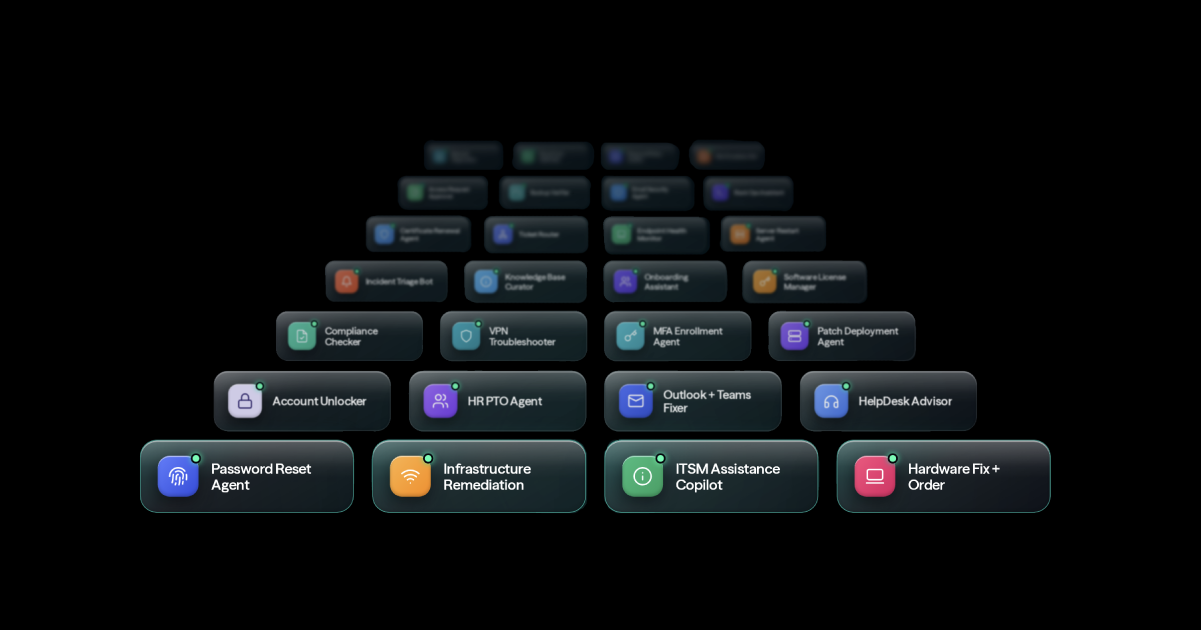
Agentic automation uses AI agents to understand requests, gather context, reason within defined boundaries, and invoke governed workflows. The strongest implementations pair AI flexibility with permissions, approval gates, audit trails, and deterministic execution for sensitive actions. Explore Resolve's agentic IT automation platform.
IT Process Automation vs. IT Automation: How They Relate
IT automation is the broad category, while IT process automation is its execution-focused subset: automating a documented sequence such as onboarding, access approval, or incident diagnosis. Process automation solutions supply the workflows, integrations, rules, and approvals.
The difference is scope. Resetting a password is task automation. Coordinating verification, policy checks, the reset, notifications, ITSM updates, and exceptions is IT process automation. Linking many such processes creates an enterprise IT automation strategy. For ROI planning, check out Resolve's ROI calculator.
How to Get Started with IT Automation
Choose one high-friction workflow.
Look for work that is frequent, time-consuming, and predictable. Ticket history and alert data can reveal strong candidates.
Map the current process.
Record its trigger, inputs, systems, decisions, approvals, expected result, and exceptions. Fix broken steps before automating them.
Select the right level.
Use rules-based workflows and orchestration for known paths. Add agentic decision-making where interpreting variable requests creates clear value.
Build in guardrails.
Define permissions, approval gates, stop conditions, audit requirements, and how the automation verifies success.
Measure and expand.
Track MTTR, ticket deflection, completion and exception rates, hours saved, and user experience. Scale after the workflow proves reliable.
A contained workflow with visible operational pain can produce evidence quickly, earn trust, and create reusable building blocks.
A strong candidate should also have a clear definition of success and manageable consequences if an exception occurs. Rare, poorly understood, or constantly changing processes usually need more standardization before they are automated. When risk is higher, teams can begin with assisted automation that gathers context and recommends an action while a person retains approval authority.
Start with the Workflow That Hurts Most
IT automation is a spectrum, from scripts and rules-based workflows to cross-system orchestration and reasoning agents. The best starting point is the recurring problem creating the most measurable friction today.
Choose that workflow, map it carefully, automate it with appropriate controls, and prove the outcome. Then use what you learn to expand. Explore Resolve's IT automation platform to see how service desk automation, AIOps remediation, ITSM orchestration, and agentic execution fit together.
How Resolve Supports IT Automation
Resolve brings service desk automation, AIOps-triggered remediation, ITSM orchestration, cross-system workflows, and agentic automation into one governed platform. It connects existing tools to automate the work between request or detection and verified resolution.
AI can interpret intent and assemble context; workflows and orchestration execute approved actions; and verification, audit trails, and escalation keep the process accountable.
For more detail, read how Resolve approaches end-to-end IT resolution or see enterprise IT automation use cases in practice. If you’re ready to see these concepts in action, book a demo.
Frequently Asked Questions
What is an example of IT automation?
An automated access request can verify the requester, check policy, route approval, provision access in the identity system, notify the user, and document the result in the ITSM platform.
What IT processes should be automated first?
Start with processes that are high-volume, repeatable, well documented, and measurable. Password resets, access requests, alert diagnostics, onboarding steps, and routine remediation are common candidates.
Is IT automation the same as orchestration?
No. Automation completes a task or workflow. Orchestration coordinates multiple automated tasks, systems, approvals, and data flows so work can move from trigger to outcome.
Can AI agents automate IT safely?
Yes, when agents operate within clear permissions and use governed workflows, approval gates, audit logs, validation, and human escalation for ambiguous or high-risk cases.
How do you measure IT automation success?
Measure operational outcomes such as MTTR, ticket deflection, workflow completion rate, exception rate, hours saved, and user satisfaction. The right metric depends on the workflow's intended result.
Does IT automation replace IT teams?
IT automation is most effective when it removes repetitive execution rather than human judgment. It changes where people spend their time: fewer routine handoffs and repeated fixes, with more capacity for complex incidents, service improvement, architecture, governance, and work that requires accountability or business context.