Incident Management System: What It Is and How to Choose One


At a Glance
- An incident management system supports the full lifecycle from detection through post-incident review.
- Incident management software, tools, and ticketing platforms overlap, but not every product can diagnose or remediate an issue.
- Strong systems connect detection, workflow, communication, automated action, and reporting across the existing IT stack.
- Teams should evaluate integration effort, automation depth, governance, scalability, and post incident evidence.
- A system that only logs incidents leaves engineers to solve the core MTTR problem manually.
An alert fires. A ticket opens. Someone gets paged. Then the real work begins: gathering context, finding the affected service, deciding who owns the issue, running diagnostics, applying a fix, validating recovery, and documenting the result.
Many IT teams assume that an incident management system is simply the application that opens and tracks the ticket. That is part of the job, but it’s not the whole operating model. A ticket can describe a disruption perfectly and still do nothing to restore service.
This guide explains what an incident management system should cover, how common product terms differ, and which capabilities matter when comparing vendors. The central buying question is straightforward: does the system merely document an incident, or can it help close the loop from detection to resolution?
What Is an Incident Management System?
An incident management system is the combination of platform capabilities, processes, integrations, and controls used to identify, log, prioritize, escalate, resolve, and review IT service disruptions. Its purpose is to restore normal service quickly while preserving ownership, communication, evidence, and accountability.
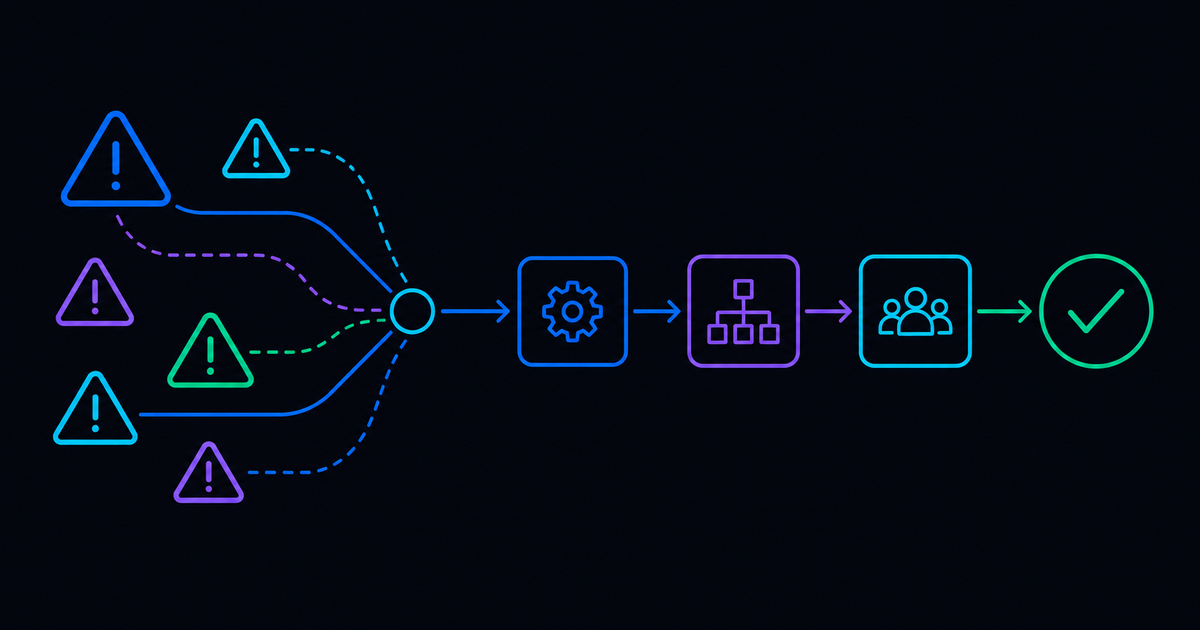
The incident lifecycle usually includes:
- Detection: Monitoring, observability, AIOps, or users identify a disruption or degradation.
- Logging: The system creates or enriches an incident record with the affected service, time, source, and available context.
- Triage: Workflows classify severity, assess business impact, correlate related alerts, and assign priority.
- Escalation: The right responder or team receives the incident, supporting evidence, and response expectations.
- Resolution: Engineers or automated runbooks diagnose the issue, apply remediation, and validate service recovery.
- Post-incident review: Teams preserve the timeline, assess performance, identify causes, and improve runbooks or controls.
No single product has to originate every step. Monitoring may detect the issue, an ITSM platform may hold the official record, collaboration tools may coordinate responders, and an automation platform may execute diagnostics and remediation. What matters is whether these components operate as a connected system.
Incident Management System vs. Incident Management Software vs. Ticketing Tools
Vendor language is inconsistent, so you may see “incident management system,” “incident management software,” and “incident management tools” used almost interchangeably. The terms describe overlapping categories, but they do not always promise the same scope.
Ticketing is necessary because teams need an authoritative record for ownership, status, SLAs, communication, and audit history. But routing a ticket to an engineer is not the same as resolving the incident. Buyers should look beyond the interface and determine what happens after the record is created.
Core Capabilities to Evaluate
Detection and Alerting Integration
The system should connect with the monitoring, observability, and AIOps tools already producing signals. Look for integrations that preserve alert source, affected configuration item, service context, timestamps, severity, and correlation data.
This helps to turn noisy events into actionable incidents without forcing responders to reconstruct context across dashboards.
Triage and Prioritization Workflows
Strong triage combines technical severity with business impact. The system should support alert correlation, duplicate suppression, service-aware prioritization, ownership rules, enrichment, and consistent severity criteria.
Ask whether workflows can query the CMDB, recent changes, dependencies, historical incidents, or live system data before assigning work. Better context at intake reduces reassignment and shortens the path to diagnosis.
Escalation and On-Call Management
Evaluate how the system routes incidents by service, skill, location, schedule, and severity. High-priority events may require paging, collaboration channels, fixed communication cadences, and cross-team coordination rather than a standard queue assignment.
For high-severity response structures, see Resolve’s Major Incident Management Playbook.
Automated Remediation and Runbook Execution
This is where many products separate. A mature system can launch diagnostics, execute approved runbooks, apply remediation, validate the outcome, update the incident, and escalate exceptions with evidence attached.
Resolve’s web application incident management example shows the full sequence in practice: an alert is intercepted, an ITSM ticket is created with context, diagnostics confirm the application state, services and application pools are restored, recovery is verified, and the ticket is closed with notes.
Not every incident should be fully autonomous. IT teams should also evaluate approval gates, role-based access, rollback paths, credential handling, audit trails, and human-in-the-loop execution.
WEBINAR REPLAY: Demo Express: From Alerts to AI, Live Automation Demos That Solve Real Problems
Reporting, SLA Tracking, and Review
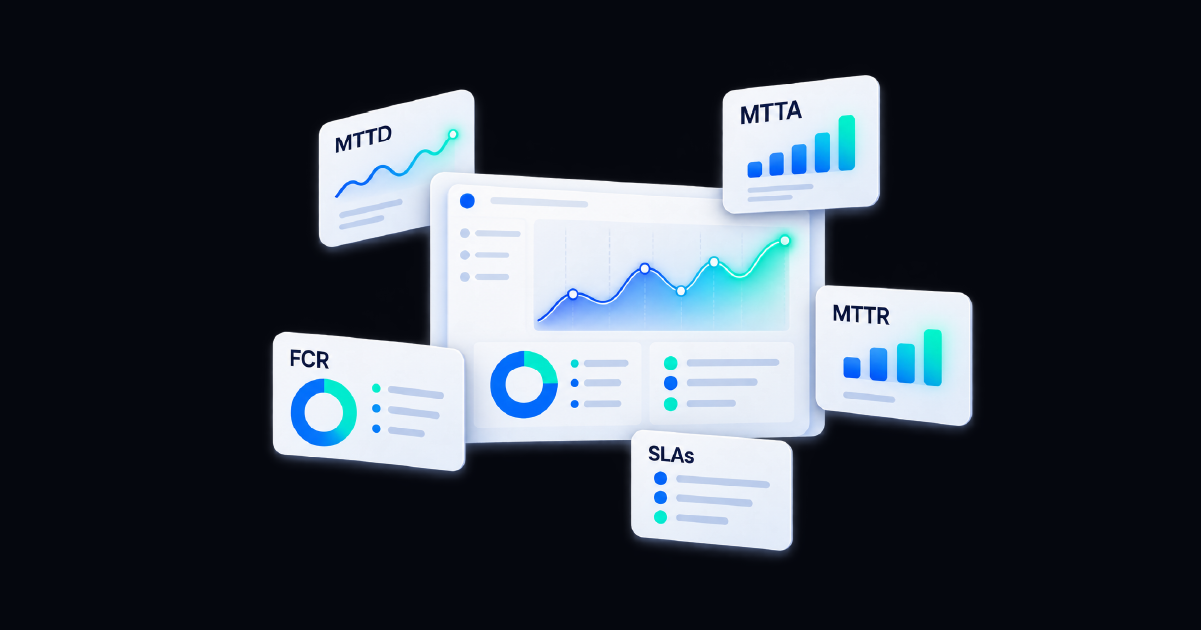
Reporting should go beyond ticket volume. Useful measures include time to detect, acknowledge, engage, diagnose, mitigate, and resolve; recurrence; SLA performance; escalation patterns; automated resolution success; rollback; and manual effort.
Post-incident reporting should preserve actions, decisions, timestamps, system state, and validation evidence. That record supports reviews, compliance, and the next round of process or automation improvements.
How to Choose the Right Incident Management System
Start with the existing operating environment rather than a blank feature checklist. Map how monitoring, AIOps, ITSM, CMDB, ChatOps, paging, knowledge, infrastructure, cloud, and network tools participate in response today.
Then ask vendors five practical questions:
- What systems can you read from and act across? Confirm native integrations, API requirements, data mapping, authentication, and bidirectional updates.
- What happens after an incident is created? Ask for a live demonstration of diagnostics, remediation, validation, and closure, not only ticket routing.
- How is risky action governed? Review approvals, RBAC, auditability, testing, rollback, exception handling, and human control.
- Can the system scale during a major incident? Evaluate cross-team coordination, concurrent workflows, communication, and high-volume event handling.
- How will we measure improvement? Require reporting that connects automation and response activity to MTTR, service health, workload, and recurrence.
A credible evaluation uses real incident patterns from your environment. Select several common, well-understood events and one complex escalation. Have each vendor show how its system handles the workflow from initial signal through verified outcome.
Common Buyer Mistakes
Choosing the Ticketing Experience Instead of the Resolution Capability
A clean queue and flexible forms matter, but they do not prove that the system can restore service. IT teams should trace each demonstration past assignment and into diagnosis, action, verification, and closure.
Underestimating Integration Effort
Incident response crosses tools and teams. Confirm which integrations are production-ready, what must be custom-built, how updates remain synchronized, and who maintains the connection when APIs or data models change.
Treating Automation as an Add-On
If remediation is postponed until after implementation, the organization may reproduce the existing manual process on a new interface. Automation candidates, guardrails, and outcome measures should be part of selection from the start.
Ignoring Post-Incident Evidence
A closed ticket is not automatically a useful review record. Verify that the system captures the timeline, diagnostic output, approvals, actions, validation results, and exceptions needed for SLA, compliance, and improvement reviews.
How Resolve Approaches Incident Management
Resolve focuses on turning operational signals into governed action. Monitoring and AIOps tools detect and enrich events; ITSM platforms preserve the system of record; Resolve adds the automation and orchestration layer that performs work across the broader environment.
That work can include gathering live diagnostics, checking dependencies, launching runbooks, executing approved remediation, validating service health, updating tickets, notifying responders, and escalating exceptions with context. AI reasoning helps interpret signals and determine the next action, while deterministic workflows provide predictable, auditable execution.
This approach extends the tools already in place instead of requiring the incident process to live inside one platform. For a practical implementation path, see Resolve’s guide to automating incident response with AIOps.
Choose a System That Helps Close the Incident
The right incident management system does more than record that something went wrong. It connects detection, context, ownership, communication, remediation, verification, and learning into one operating flow.
Ticketing and reporting remain essential, but they should support resolution rather than define its limit. Teams who treat automation and remediation depth as core requirements can evaluate systems against the outcome that matters most: restoring service faster and more consistently.
Resolve closes the loop from detection to resolution.
Frequently Asked Questions
What is an incident management system?
An incident management system is the connected set of platform capabilities, processes, integrations, and controls used to detect, log, prioritize, escalate, resolve, and review IT service disruptions.
Is incident management software the same as a ticketing tool?
Not always. Ticketing tools focus on recording, assigning, tracking, and reporting work. Incident management software may also include detection integrations, on-call coordination, diagnostics, automated remediation, validation, and post-incident analysis.
What are the most important incident management capabilities?
Prioritize detection integrations, contextual triage, escalation, governed runbook execution, automated remediation, recovery validation, bidirectional ITSM updates, and post-incident reporting.
Can an incident management system automate resolution?
Yes, when it can trigger approved workflows across connected systems. Automation can gather diagnostics, apply known fixes, validate recovery, update the incident record, and escalate exceptions that require human judgment.
How should IT teams compare incident management tools?
Use real incident scenarios and compare how each option handles the entire lifecycle. Evaluate integration effort, context gathering, automation depth, governance, scalability, reporting, and whether the system verifies an outcome instead of stopping at ticket creation.

.png)
.png)