Best ITSM Automation Software for Lean IT Teams in 2026


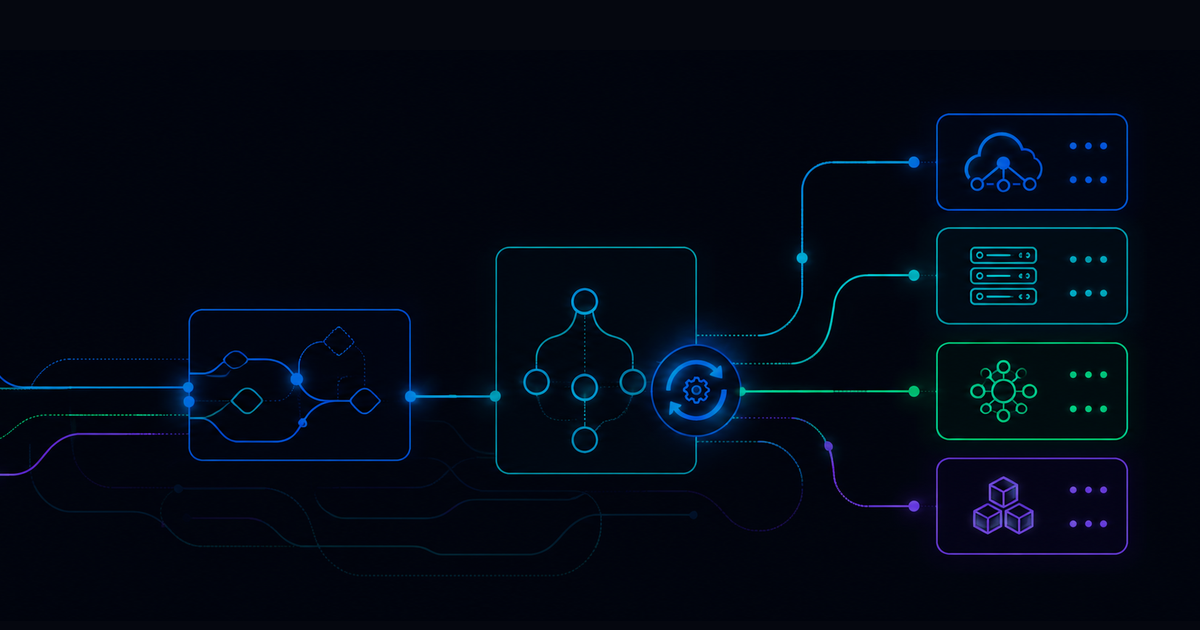

ITSM automation software promises to handle repetitive work so your engineers can focus on strategic projects. That sounds straightforward enough, right? In practice, it gets more interesting. The platforms that perform well in demos don't always hold up when your environment includes hybrid infrastructure, multiple ITSM tools, and alert volumes that spike without warning.
Below, you'll find seven platforms evaluated for workflow automation depth, deployment overhead, cross-system orchestration, and measurable ticket reduction. Each section surfaces what works, what requires additional investment, and what to test before signing.
Quick Guide: 7 ITSM Automation Platforms for Lean IT Teams
- Resolve: Zero-ticket automation with agentic AI and cross-system orchestration for enterprise IT operations
- ServiceNow: Enterprise ITSM with workflow automation modules requiring dedicated configuration resources
- BMC Helix: Cloud-native ITSM with AIOps integration for organizations managing complex hybrid environments
- Moveworks: Conversational AI for IT support ticket deflection and employee self-service
- Freshservice: Cloud-based ITSM with AI-assisted ticket routing for mid-market IT teams
- Jira Service Management: ITSM built on Atlassian's platform with automation templates for DevOps-aligned teams
- SysAid: AI-powered ITSM with automated ticket triage and chatbot support
How We Chose ITSM Automation Platforms for This List
Lean IT teams face a specific constraint: you need automation that delivers measurable ticket reduction without requiring a dedicated platform administrator. The platforms below were selected based on criteria that matter when engineering headcount is limited and ticket volume keeps climbing.
- Workflow automation depth: Can the platform execute end-to-end remediation, or does it stop at ticket classification and routing? Platforms that resolve incidents without human handoffs score higher.
- Deployment overhead: How much engineering time does initial setup require? Platforms with prebuilt workflows and guided onboarding reduce time-to-value.
- Cross-system orchestration: Does automation work across your ITSM, monitoring, identity, and infrastructure tools? Single-system automation rarely surfaces the workflows that consume the most engineering hours.
- Scalability without proportional cost: Can the platform handle growing alert and ticket volumes without requiring additional licenses for each automation or execution?
- Measurable outcomes: Does the vendor report customer results in terms of ticket reduction, MTTR improvement, and staff hours saved?
The 7 ITSM Automation Platforms for Lean IT Teams
1. Resolve: Intelligent ITSM Automation for Lean Enterprise IT Teams
Resolve eliminates tickets before they exist. The platform combines agentic AI with deterministic automation to execute end-to-end workflows across ITSM, network, infrastructure, and cloud systems. For lean IT teams managing complex hybrid environments, Resolve delivers automation that runs without constant oversight.
The Resolve Agentic Automation and Orchestration Platform connects to over 5,000 prebuilt automation components and integrates with tools your team already uses, including monitoring systems, identity platforms, and ticketing tools. Rather than classifying tickets and routing them to human queues, Resolve autonomously diagnoses issues, executes remediation, and closes requests.
Resolve customers report 70% faster mean time to resolution and 90% fewer false positives reaching operations teams. One customer saved over $80 million running automations at scale. Across the Resolve customer base, 97 million automations run annually, demonstrating production-grade reliability.
The platform deploys as SaaS with five foundational workflows live on day one and guided onboarding that delivers results in days rather than months. Fixed, predictable pricing eliminates per-ticket or per-execution fees that inflate costs as automation scales.
Resolve features
- RITA AI agent: Deflects routine IT requests with 24/7 multilingual, contextual self-help before tickets reach your service desk.
- Zero-ticket automation: Resolves incidents end-to-end without human intervention across password resets, access requests, infrastructure alerts, and more.
- Cross-system orchestration: Automates workflows spanning ITSM, monitoring, cloud, network, and identity tools through native integrations and REST API support.
- No-code to full-code flexibility: Drag-and-drop workflow builder for quick wins, with full scripting capabilities for complex automations.
- Outcome intelligence: Dashboards linking automation directly to MTTR, SLA performance, and ROI metrics.
- Agentic AI with human oversight: AI agents execute workflows autonomously while maintaining audit trails and governance controls.
Resolve pros and cons
Pros:
- Proactive automation resolves issues before tickets are created, reducing service desk volume by over 50%
- Prebuilt workflows and guided onboarding accelerate deployment for teams without dedicated automation engineers
- Fixed pricing model scales without per-ticket fees as automation volume grows
Cons:
- Organizations with minimal existing automation may need time to identify high-impact workflow candidates during initial rollout
- Advanced orchestration across legacy systems may require connector configuration
- Full platform capabilities are realized incrementally as teams build automation maturity
2. ServiceNow: Enterprise ITSM with Workflow Automation Modules
ServiceNow IT Service Management consolidates ticketing, change management, and asset tracking into a unified platform. The solution includes AI and machine learning capabilities for ticket classification and predictive insights.
For lean IT teams, ServiceNow requires consideration of implementation scope. The platform offers extensive customization, which translates to configuration effort. Organizations often allocate dedicated resources for initial setup and ongoing platform administration.
ServiceNow features
- Incident and request management: Tracks issues from submission through resolution with configurable workflows and SLA enforcement.
- Virtual agent: Chatbot handles routine requests through conversational interfaces across multiple channels.
- Performance analytics: Dashboards display service metrics and trend data for operational visibility.
ServiceNow pros and cons
Pros:
- Consolidates ITSM, ITOM, and ITAM modules in a single platform for organizations seeking unified IT management
- Extensive marketplace of integrations and third-party applications
- Established vendor with large implementation partner ecosystem
Cons:
- Initial configuration requires significant engineering time and may involve professional services
- Complexity increases with customization, requiring ongoing administrative overhead
- Automation beyond basic workflows often requires Flow Designer expertise or additional modules
3. BMC Helix: Cloud-Native ITSM with AIOps Integration
BMC Helix ITSM delivers incident, problem, and change management through a cloud-native architecture. The platform incorporates cognitive automation capabilities and integrates with BMC Helix Operations Management for AIOps functionality.
Organizations with existing BMC investments may find Helix aligns with their current environment. Teams evaluating Helix independently should assess the implementation timeline and resource requirements for initial deployment.
BMC Helix features
- Cognitive service management: AI-assisted ticket classification and agent recommendations based on historical data patterns.
- Multi-cloud support: Manages services across cloud and on-premises infrastructure from a unified console.
- ITIL 4 alignment: Workflow templates follow ITIL 4 practices for incident, problem, change, and release management.
BMC Helix pros and cons
Pros:
- Cloud-native architecture supports hybrid environments and multi-cloud deployments
- AIOps integration correlates events across infrastructure and applications
- Configurable workflows adapt to existing ITIL processes
Cons:
- Implementation timelines extend longer than lighter-weight alternatives
- Full automation capabilities require integration with additional BMC modules
- Licensing structures can add complexity for organizations scaling automation
4. Moveworks: Conversational AI for IT Ticket Deflection
Moveworks focuses on conversational AI to deflect IT support requests before they become tickets. The platform integrates with collaboration tools like Slack and Microsoft Teams to resolve common employee requests through chat interfaces. Moveworks was acquired by ServiceNow in 2025.
For lean teams, Moveworks reduces ticket volume for routine requests like password resets, software access, and knowledge base queries. The platform's scope centers on employee self-service rather than infrastructure automation.
Moveworks features
- Conversational interface: Employees interact with AI through chat to resolve IT requests without submitting tickets.
- Ticket deflection analytics: Reports show which request types are being resolved through self-service.
- Knowledge base integration: Surfaces relevant documentation and troubleshooting steps in response to employee questions.
Moveworks pros and cons
Pros:
- Reduces service desk volume for common employee requests like password resets and software access
- Native integration with collaboration platforms employees already use
- Natural language processing handles varied phrasing of common requests
Cons:
- Scope focuses on employee-facing deflection rather than infrastructure or network automation
- Cross-system orchestration requires integration with separate automation platforms
- Complex remediation workflows beyond self-service still require human intervention
- ServiceNow acquisition leaves product’s future uncertain
5. Freshservice: Cloud-based ITSM with AI-Assisted Ticket Routing
Freshservice from Freshworks offers ITSM capabilities including incident management, asset tracking, and service catalogs through a cloud-based interface. The platform includes Freddy AI for ticket categorization and suggested responses.
Freshservice positions itself for mid-market IT teams looking for faster deployment than enterprise-focused platforms. The trade-off appears in automation depth for complex, cross-system workflows.
Freshservice features
- Freddy AI: Automates ticket classification, suggests resolution articles, and routes requests to appropriate queues.
- Workflow automator: Visual builder for automating ticket updates, approvals, and notifications.
- IT asset management: Tracks hardware and software inventory with discovery and lifecycle management.
Freshservice pros and cons
Pros:
- Faster deployment timeline compared to enterprise ITSM platforms
- Intuitive interface reduces training time for service desk staff
- Integrated asset management consolidates ITSM and ITAM functions
Cons:
- Automation capabilities focus on ticket workflows rather than end-to-end remediation
- Cross-system orchestration requires third-party integration platforms
- Advanced automation use cases may exceed platform capabilities as requirements grow
6. Jira Service Management: ITSM Automation for DevOps-Aligned Teams
Jira Service Management extends Atlassian's platform with ITSM capabilities including incident management, change tracking, and service requests. The solution integrates natively with Jira Software, Confluence, and Bitbucket for teams using Atlassian tools.
For organizations with existing Atlassian investments, Jira Service Management aligns ticketing with development workflows. Teams outside the Atlassian ecosystem should weigh integration effort against alternatives.
Jira Service Management features
- Automation templates: Prebuilt rules for common ITSM scenarios like SLA escalations, ticket assignments, and status transitions.
- Incident management: On-call scheduling, alerting, and post-incident reviews integrated with ticketing.
- Asset and configuration management: Tracks IT assets and their relationships for change impact analysis.
Jira Service Management pros and cons
Pros:
- Native integration with Atlassian tools consolidates development and IT workflows
- Automation templates reduce initial configuration for common scenarios
- On-call management integrates incident alerting with ticket tracking
Cons:
- Cross-system automation beyond Atlassian tools requires additional configuration
- Complex remediation workflows need external orchestration platforms
- Teams unfamiliar with Atlassian products face additional learning curve
7. SysAid: AI-Powered ITSM with Automated Ticket Triage
SysAid combines ITSM functionality with AI-powered automation for ticket triage, routing, and chatbot-based support. The platform offers both cloud and on-premises deployment options for organizations with specific hosting requirements.
SysAid positions itself for small to mid-sized IT teams needing help desk and asset management functionality without enterprise platform complexity.
SysAid features
- AI automation: Automated ticket triage, issue resolution, and onboarding workflows reduce manual processing.
- Conversational chatbot: AI-powered chat handles employee requests across multiple channels.
- Centralized dashboards: Real-time views of ticket status, SLA compliance, and team workload.
SysAid pros and cons
Pros:
- AI automation reduces manual ticket triage and routing effort
- Combined ITSM and asset management in a single platform
- On-premises deployment option for organizations with hosting requirements
Cons:
- Automation scope centers on ticket processing rather than infrastructure remediation
- Performance may vary under high concurrent usage based on user reports
- Cross-system orchestration requires integration with external platforms
Comparison Table: ITSM Automation Platforms for Lean IT Teams
What Separates Platforms That Reduce Tickets From Platforms That Manage Them
The difference between managing tickets and eliminating them comes down to automation depth. Platforms that classify tickets and route them to human queues still require engineering time for resolution. Platforms that execute remediation end-to-end return that time to your team.
For lean IT teams, the practical test is straightforward: after deploying the platform, does your ticket volume go down? Does MTTR improve? Do your engineers spend less time on repetitive work?
Cross-system orchestration matters because the workflows that consume the most engineering hours rarely stay within a single tool. An alert fires in your monitoring system, creates a ticket in your ITSM platform, requires identity verification, executes remediation on infrastructure, and updates the ticket. Platforms confined to one system can't automate that sequence.
Evaluating ITSM Automation for Your Environment
Before selecting a platform, define the specific workflows you need to automate. Password resets and access requests are common starting points, but they rarely represent your largest time sinks. Identify the recurring incidents that pull engineers away from strategic work.
During evaluation, push on where each platform's automation actually stops. Does it classify and route, or does it resolve? Does it work across the systems you already run, or does it require replacing existing tools?
Test at volume. The workflow that performs well with ten tickets per day may behave differently at a thousand. Build failure scenarios into your proof of concept: what happens when the automation encounters an edge case, a down dependency, or an input it wasn't designed to handle?
If you're evaluating ITSM automation for a lean IT team that needs measurable ticket reduction, put Resolve through your evaluation process. See how the platform performs against your actual workflows and environment. Request a demo →
.png)
.png)
