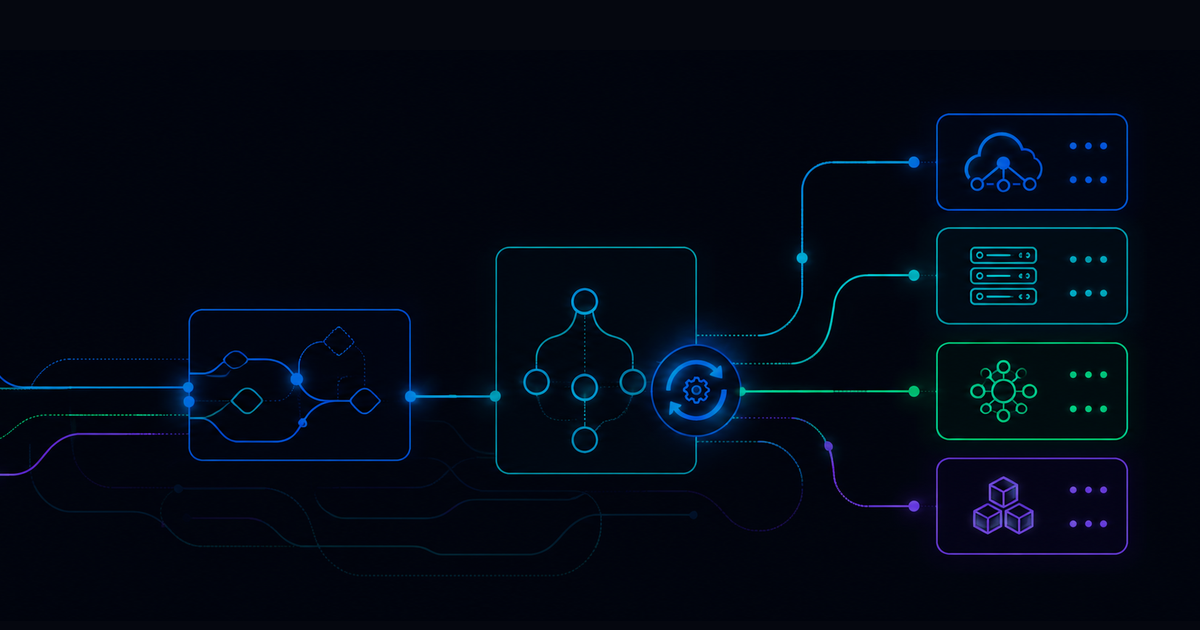
8 IT Infrastructure Automation Use Cases to Prioritize



IT infrastructure automation sounds simple enough on the surface, right? You take repetitive infrastructure work, turn it into automated workflows, and give engineers more time for higher-value problems.
This may seem easy, but in practice, it gets more interesting.
Modern IT environments are spread across cloud platforms, legacy systems, identity tools, ITSM platforms, monitoring systems, network devices, and business-critical applications. A single issue may require five tools, three teams, a ticket update, a diagnostic check, a remediation step, and an escalation path if the first fix does not work.
That is where IT infrastructure automation becomes more than task automation.
IT infrastructure automation is the use of automated workflows, integrations, policies, and runbooks to provision, manage, troubleshoot, remediate, and document infrastructure processes with less manual intervention.
The goal is to make operational work more consistent and less dependent on heroic manual effort.
Here are eight IT infrastructure automation use cases worth prioritizing.
Key Takeaways
- IT infrastructure automation helps teams reduce repetitive work across incidents, access, provisioning, and operational maintenance.
- The best use cases are high-volume, repeatable, rules-based, and painful enough to drain engineering time.
- Runbook automation is especially useful when a process requires diagnostics, remediation, validation, documentation, and escalation.
- Automation should include approval logic, policy checks, and audit trails, not just task execution.
- The strongest programs start with practical workflows and expand as teams prove value.
Use Case 1: Automated Incident Response
Incident response is one of the clearest IT infrastructure automation use cases because the work is urgent, repetitive, and expensive when handled manually.
When an alert fires for a web application, server, service, or infrastructure component, engineers often have to collect context, open a ticket, check the affected host, review logs, restart services, validate recovery, and update the record.
Automation can handle much of that first response.
For example, when a web application becomes unresponsive, an automated workflow can capture alert details, identify the affected system, create or enrich the ITSM ticket, run diagnostics, restart a service, recycle an application pool, check the application response, and document the outcome.
If the workflow cannot resolve the issue, it can escalate with the right context already attached.
Expected impact: Faster mean time to resolution, fewer manual handoffs, and less alert fatigue for operations teams.
Use Case 2: Low Disk Space Remediation
Low disk space alerts are classic infrastructure noise.
They matter because they can lead to application instability, failed updates, degraded performance, or outages. But they are also frequently caused by known patterns: temporary files, old logs, leftover update packages, or predictable storage growth.
IT infrastructure automation can turn this into a standard remediation workflow.
When a disk usage threshold is crossed, the workflow can identify the affected system, check the largest directories, clear approved temporary files, rotate or archive logs, confirm available space, and update the incident.
The important word here is approved. Automation should not delete data blindly. It should follow defined cleanup rules and escalate when it finds something outside the safe path.
Expected impact: Reduced incident volume, faster remediation, and fewer avoidable outages caused by preventable capacity issues.
Use Case 3: Service Health Checks and Restarts
Many infrastructure incidents start with a simple problem: a service that should be running is not running.
That does not mean the response is always simple. Teams still need to confirm service state, understand dependencies, restart the right component, validate the result, and make sure the issue does not immediately return.
Automation can standardize that sequence.
For recurring issues, a runbook can check service status, inspect related processes, restart services in the right order, validate application response, and document the result in the ticket. If the service fails to restart or falls back into a failed state, the workflow can escalate to the right team.
Expected impact: Less time spent on routine service recovery and more consistent handling of common operational failures.
Use Case 4: End-of-Day and Batch Job Recovery
Batch jobs still run critical business processes across finance, supply chain, inventory, reporting, payments, and other operational systems.
When those jobs fail, the business impact can be immediate. Reports do not generate. Transactions do not reconcile. Downstream systems do not receive the data they need.
IT infrastructure automation can help teams move from reactive troubleshooting to self-healing operations.
A workflow can monitor for failed or delayed jobs, parse notifications, identify affected systems, check job status, restart stuck processes, validate dependent services, and escalate unresolved failures with the right logs attached.
This is especially useful when teams support many locations, systems, or regions. Instead of engineers checking each environment one by one, automation can run checks concurrently.
Expected impact: Faster recovery from batch failures, fewer delays in critical business processes, and lower manual load on infrastructure teams.
Use Case 5: Infrastructure and Resource Provisioning
Provisioning is often treated as a build task. Someone requests a server, database, network resource, storage volume, or cloud environment, and IT builds it.
But the build is only one part of the process.
Real resource provisioning includes request intake, validation, approvals, policy checks, configuration, access, documentation, notifications, and ticket updates. That is why infrastructure provisioning is such a strong automation candidate.
A workflow can read the request, validate required fields, confirm policy compliance, gather approvals, provision the resource, apply configuration, update the CMDB or ticket, and send the requestor the right details.
Expected impact: Faster delivery of infrastructure resources, fewer build errors, and stronger policy adherence.
Use Case 6: Employee Onboarding and Access Setup
Employee onboarding is not always thought of as IT infrastructure automation, but it touches infrastructure-adjacent systems constantly: identity, access, devices, applications, groups, permissions, and service requests.
Manual onboarding creates friction on day one and increases the chance that access is incomplete or inconsistent.
Automating employee onboarding connects HR systems, ITSM platforms, identity providers, and application tools into one workflow. Based on role, department, location, and job code, the workflow can create accounts, assign groups, provision application access, trigger device requests, notify stakeholders, and update the ticket.
Expected impact: Faster onboarding, fewer access gaps, and less repetitive work for service desk and identity teams.
Use Case 7: Employee Offboarding and Deprovisioning
Offboarding is the riskier sibling of onboarding.
When someone leaves the organization, IT needs to remove access quickly and completely. The challenge is that employees accumulate access over time. They may have accounts, groups, SaaS tools, cloud resources, shared credentials, devices, and permissions that were never part of the original onboarding checklist.
Automation can make offboarding more reliable.
A workflow can receive the request from HR or ITSM, identify known accounts and services, disable access, revoke sessions, remove groups, notify stakeholders, update records, and close the loop with documentation.
Expected impact: Lower access risk, faster deprovisioning, and a clearer audit trail for compliance.
Use Case 8: Load Balancer and Network Maintenance
Some infrastructure work is not triggered by an incident. It is scheduled maintenance that has to happen carefully.
Load balancer reboots, failover checks, network device refreshes, and high-availability validation all fall into this category. The steps may be known, but the risk is high if they happen in the wrong order.
Automation can enforce the sequence.
A workflow can confirm primary and secondary devices are healthy, validate failover readiness, perform the reboot or changeover, run post-checks, confirm traffic behavior, and notify engineers when the process is complete.
Expected impact: Lower maintenance risk, faster execution, and better consistency for high-availability infrastructure tasks.
How to Prioritize IT Infrastructure Automation Use Cases
The best place to start is usually not the most impressive workflow. It is the workflow that happens often, follows a repeatable pattern, consumes engineering time, and has a clear success condition.
A good first automation candidate usually has five traits:
- High ticket or alert volume.
- Clear diagnostic steps.
- Safe remediation actions.
- Measurable time savings.
- Strong documentation requirements.
Password resets, disk space cleanup, service restarts, and onboarding workflows often make strong starting points because teams already understand the process. From there, IT infrastructure automation can expand into more complex workflows like batch recovery, network maintenance, and cross-system provisioning.
The long-term goal is not to automate everything at once, though. The better goal is to build confidence through practical wins, then expand automation into workflows where speed, consistency, and auditability matter most.
Resolve customers have applied this same approach in production environments. For example, Virgin Media used Resolve to automate health checks, validate incidents in real time, and reduce operator load, showing how infrastructure automation can move teams from manual triage to faster, more consistent resolution.
See how Resolve leverages IT infrastructure automation to create transformative success for its customers. Request a demo →
FAQ: IT Infrastructure Automation
What is IT infrastructure automation?
IT infrastructure automation is the use of automated workflows, scripts, runbooks, integrations, and policies to manage infrastructure tasks such as provisioning, configuration, monitoring, remediation, maintenance, and documentation.
What are examples of IT infrastructure automation?
Common IT infrastructure automation examples include automated incident response, disk cleanup, service restarts, server provisioning, employee onboarding, access removal, batch job recovery, and load balancer maintenance.
How is IT infrastructure automation different from IT automation?
IT automation is broader. It can include service desk, identity, endpoint, application, and business process workflows. IT infrastructure automation focuses on the systems, resources, and operational processes that support applications, networks, cloud environments, and enterprise IT services.
How does IT infrastructure automation improve incident response?
It improves incident response by collecting alert context, running diagnostics, executing approved remediation steps, validating recovery, updating tickets, and escalating unresolved issues with the right information already attached.
Which IT infrastructure automation use case should teams start with?
Teams should start with high-volume, low-risk workflows that have clear steps and measurable outcomes. Good starting points include low disk space remediation, service restarts, onboarding tasks, password resets, and ticket enrichment for common incidents.

.png)
.png)