IT Process Automation: Use Cases, Benefits & ROI



At a Glance
- IT process automation converts documented, repeatable workflows into automated processes that reduce manual labor, delays, and execution errors.
- High-value use cases include password resets, access requests, employee onboarding, patch management, ticket triage, and approval workflows.
- A credible ROI model accounts for labor savings, downtime avoided, technology costs, implementation expenses, and ongoing administration.
- Automating a poorly designed process can make bad outcomes happen faster, so teams should standardize and improve workflows before automating them.
- Budget holders should evaluate automation using their own ticket volumes, handling times, labor costs, and expected automation rates.
IT process automation is not a new concept. Its most common use cases and operational benefits are already well documented. What many CIOs and IT directors still lack is a practical way to translate those benefits into a defensible financial case.
A statement such as “automation will save time” is unlikely to secure a budget. Decision-makers need to know how much time, what that time costs, which expenses the project will introduce, and when the investment will pay for itself.
That is the purpose of this guide. Rather than cataloging every possible workflow, it provides a repeatable framework for calculating the value of IT process automation using numbers from your own environment.
What Is IT Process Automation?
IT process automation is the use of software to execute a documented sequence of IT tasks, decisions, approvals, and system actions with less manual intervention. It is an execution-focused subset of the broader IT automation category.
Restarting a service is task automation. Coordinating diagnostics, approvals, the restart, validation, ITSM updates, and notifications is process automation. For a broader look at how these workflows can cross departments and systems, explore this guide to enterprise process automation software.
High-Value IT Process Automation Use Cases
The strongest initial candidates are usually frequent, repeatable, measurable, and sufficiently understood. Common examples include:
- Password resets and account unlocks: Verify the employee, check policy, reset credentials, notify the user, and record the outcome.
- Access requests: Route approval, validate eligibility, provision access, confirm success, and update the ITSM record.
- Employee onboarding and offboarding: Coordinate tasks across HR, identity, endpoint, collaboration, and business applications.
- Patch management: Identify affected assets, schedule changes, deploy patches, validate system health, and document completion.
- Ticket triage: Classify requests, enrich tickets with context, route exceptions, and initiate known resolution paths.
- Approval workflows: Apply policy, identify the correct approver, track the decision, and preserve an audit trail.
The objective is not simply to automate an isolated click. It is to move the process from its initial trigger to a verified outcome. Resolve’s guide to IT process orchestration provides more detailed examples involving incident response and resource provisioning.
Quantifying the Benefits
A strong business case connects each IT process automation workflow to a measurable operating outcome. Four categories provide a useful starting point.
Ticket deflection measures how many requests are completed without entering a human queue. Its financial value depends on the number of tickets deflected and the average cost of manual fulfillment.
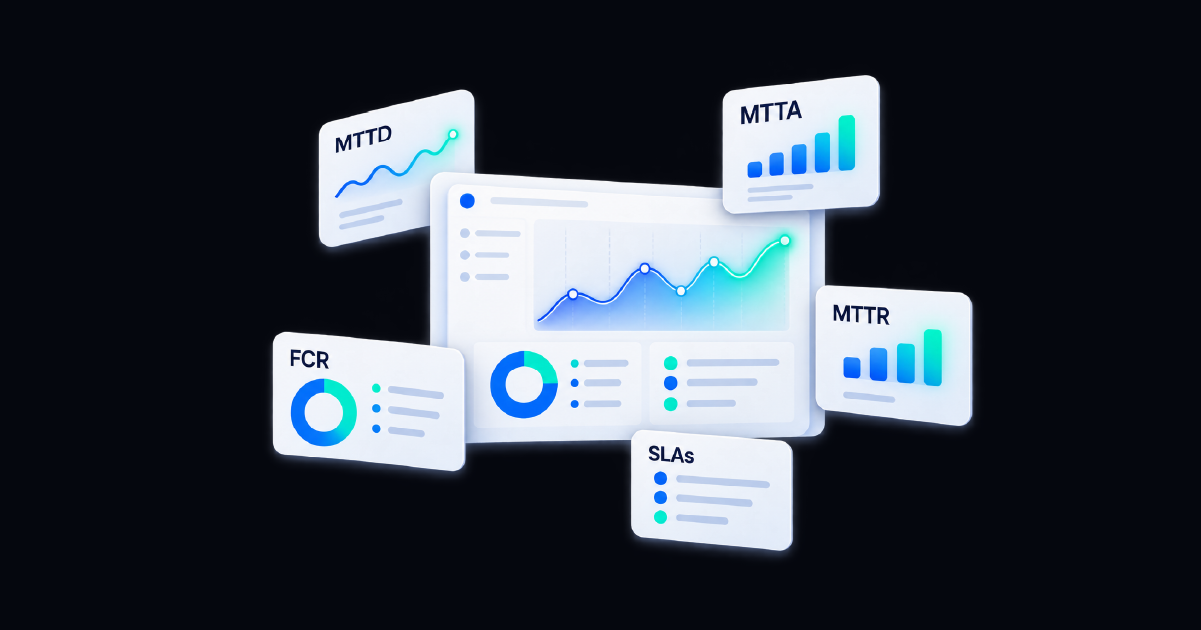
MTTR reduction measures how much faster incidents are resolved. This can affect technician labor, downtime, SLA performance, and the productivity of employees waiting for service restoration.
Reallocated staff hours captures the time returned to IT teams. These hours should not automatically be presented as payroll savings. They may instead represent capacity that can be redirected toward difficult incidents, service improvements, governance, or transformation projects.
SLA compliance reflects the value of completing work predictably and on time. Better compliance may reduce penalties, escalations, customer impact, and the administrative work associated with missed commitments.
These categories should be tied to baselines. Measure the current process before deployment, then compare its cost, duration, error rate, and completion rate with the automated version. The broader end-to-end process automation playbook examines additional business-value categories and enterprise outcomes.
Building the ROI Case: A Formula You Can Actually Run
An automation ROI model should compare the annual value created by the program with its full annual cost.
Annual labor savings
Annual transactions automated × minutes saved per transaction ÷ 60 × fully loaded hourly labor cost
Annual gross benefit
Labor savings + avoided downtime + avoided outsourcing or tool costs + other validated savings
Annual net benefit
Annual gross benefit − annual automation cost
ROI percentage
Annual net benefit ÷ annual automation cost × 100
Payback period in months
First-year automation cost ÷ average monthly gross benefit
The annual IT process automation cost should include more than licensing. Add implementation, integrations, training, change management, administration, maintenance, and any infrastructure required to operate the solution.
Resolve’s ROI calculator can provide an additional starting point for modeling the potential impact of automation against your operating environment.
The IT Process Automation ROI Matrix
Consider a mid-sized IT organization automating password resets and routine access requests. The figures below are illustrative placeholders that budget holders can replace with data from their own environment.
| ROI Component | Illustrative Input | Calculation | Annual Value |
|---|---|---|---|
| Eligible requests | 8,000 requests | Annual request volume | N/A |
| Straight-through automation rate | 70% | 8,000 × 70% | 5,600 automated requests |
| Manual time saved | 18 minutes per request | 5,600 × 18 ÷ 60 | 1,680 staff hours |
| Fully loaded labor cost | $60 per hour | 1,680 × $60 | $100,800 |
| Avoided service disruption | 20 hours at $2,000 per hour | 20 × $2,000 | $40,000 |
| Avoided tool or contractor costs | Estimated annual savings | Validated internal costs eliminated | $15,000 |
| Total annual gross benefit | $100,800 + $40,000 + $15,000 | $155,800 | |
| Platform allocation | First-year cost | ($45,000) | |
| Implementation and integrations | First-year cost | ($20,000) | |
| Training and change management | First-year cost | ($10,000) | |
| Ongoing administration | Annual cost | ($5,000) | |
| Total first-year cost | $45,000 + $20,000 + $10,000 + $5,000 | ($80,000) | |
| First-year net benefit | $155,800 − $80,000 | $75,800 | |
| First-year ROI | $75,800 ÷ $80,000 × 100 | Approximately 95% | |
| Estimated payback period | $80,000 ÷ ($155,800 ÷ 12) | Approximately 6.2 months |
These figures show how the model can potentially work. Replacing the illustrative inputs with observed request volumes, handling times, labor costs, automation rates, downtime costs, and project expenses produces a more credible investment case than applying a generic industry benchmark.
Benefits like employee experience, IT staff retention, audit readiness, and reduced compliance exposure can be documented alongside the matrix. Unless the organization has defensible financial data for them, however, they should remain directional benefits rather than being used to inflate the calculated ROI.
How to Handle Benefits That Are Harder to Price
Employee experience, staff retention, audit readiness, and reduced compliance exposure matter, but they should be handled carefully.
If a benefit can be supported with internal evidence, include it. For example, a history of SLA penalties or overtime expenses provides a reasonable baseline. If the financial effect cannot be defended, present it as a directional benefit rather than assigning it an inflated dollar value.
That discipline makes the entire business case stronger. Finance leaders can distinguish calculated returns from additional strategic upside.
Common Pitfalls That Erode ROI
Automating a Broken Process
Automation does not repair unclear ownership, unnecessary approvals, contradictory policies, or poor data. It simply executes the existing design more quickly.
Before building an IT process automation workflow, document its trigger, decisions, handoffs, systems, exceptions, and expected outcome. Remove redundant steps and define how success will be verified. Otherwise, the automation may produce impressive activity numbers without improving the underlying service.
Underestimating Adoption Costs
A technically successful workflow can still miss its financial target if employees do not use it. Training, communications, service-catalog changes, stakeholder reviews, and operating-procedure updates all consume time.
Include these costs in the model. Adoption should also be measured after launch through utilization, completion, exception, and escalation rates.
Measuring Activity Instead of Outcomes
The number of workflows executed is not the same as business value. Ten thousand automated actions mean little if the process still requires manual correction.
Measure results such as hours saved, successful completion rate, cost per resolution, ticket deflection, MTTR, SLA adherence, and verified service restoration.
Creating Another Automation Island
A point solution that cannot connect with the existing ITSM, identity, monitoring, cloud, or endpoint environment introduces reconciliation work. Employees may have to transfer data manually, compare conflicting records, or maintain separate audit histories.
Those hidden activities reduce the savings that justified the purchase. Integration and orchestration requirements should therefore be evaluated before projected ROI is approved.
How Resolve Delivers IT Process Automation ROI
Resolve connects AI reasoning and context with deterministic automation, enabling organizations to coordinate governed workflows across existing IT systems.
A request, alert, or system event can trigger a process that gathers context, applies policy, routes approvals, executes actions, verifies the result, updates the ITSM record, and escalates exceptions. This approach allows IT teams to address entire processes instead of accumulating disconnected task automations.
Built-in measurement also helps teams evaluate impact using operating data. Leaders can track indicators such as workflow volume, hours returned, ticket deflection, cost savings, MTTR, and completion outcomes. Those results provide actual inputs for the ROI formula instead of relying indefinitely on estimates.
Permissions, approvals, validation, and audit trails support the risk side of the business case as well. This matters because the value of automation is not limited to labor savings. It also comes from executing work consistently, preserving accountability, and preventing avoidable disruption.
See how Resolve helps CIOs and CTOs connect automation to measurable business outcomes.
Turn Process Metrics into an Investment Case
IT process automation can reduce repetitive work, accelerate service delivery, and improve consistency. However, those benefits become budget-worthy only when they are connected to measurable financial outcomes.
Start with one or two high-volume processes. Establish the current cost and performance baseline, calculate a conservative automation rate, include the full cost of implementation, and separate validated savings from directional benefits. Then measure the live process and replace projections with actual results.
Ready to build an ROI case around your own workflows, ticket volumes, and operational priorities to model what IT process automation could return to your organization?
Frequently Asked Questions
What is IT process automation?
IT process automation uses software to execute documented IT workflows with less manual intervention. It can coordinate tasks, data, decisions, approvals, and actions across systems from an initial request or event through verified completion.
How do you calculate IT process automation ROI?
Add annual labor savings, avoided downtime, tool consolidation, and other validated savings. Subtract platform, implementation, integration, training, and administration costs. Divide the resulting net benefit by total automation cost and multiply by 100.
Which IT processes should be automated first?
Begin with processes that are high-volume, repeatable, measurable, and well understood. Password resets, access requests, ticket enrichment, onboarding tasks, routine diagnostics, and approval workflows are common starting points.
What metrics demonstrate IT process automation value?
Useful metrics include hours saved, cost per resolution, ticket deflection, MTTR, SLA adherence, workflow completion rate, exception rate, downtime avoided, and user satisfaction.
What is the biggest risk to automation ROI?
The biggest risk is automating a poorly designed process. Unnecessary approvals, inconsistent inputs, unclear ownership, and broken handoffs remain problems after automation and can prevent projected savings from materializing.